


Hi everyone. Lots of new members have joined this week (welcome!), so here’s a quick reminder on how to manage your notifications.
Click your profile picture in the top right corner, go to Account Settings, then select the Notifications tab.
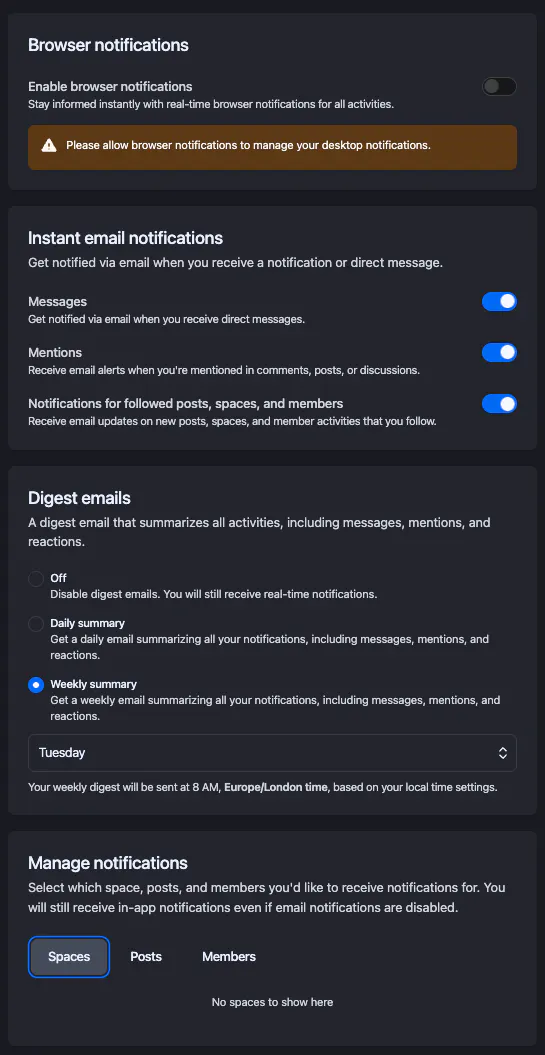
From there you can:
Choose which browser and email notifications you receive
Control alerts for messages, mentions, followed posts and more
Opt in or out of daily or weekly digests
Fine-tune notifications for specific posts, spaces, and members
All of this helps you stay in the loop without overwhelming your inbox.
See the screenshot below for a quick visual guide.
If you have any questions or need a hand, just drop them in the comments or send me a DM. Always happy to help.
Cheers,
Liam
Community Manager